
Settings
Themes, fonts, cursor, workspaces and the AI provider for the orchestrator.
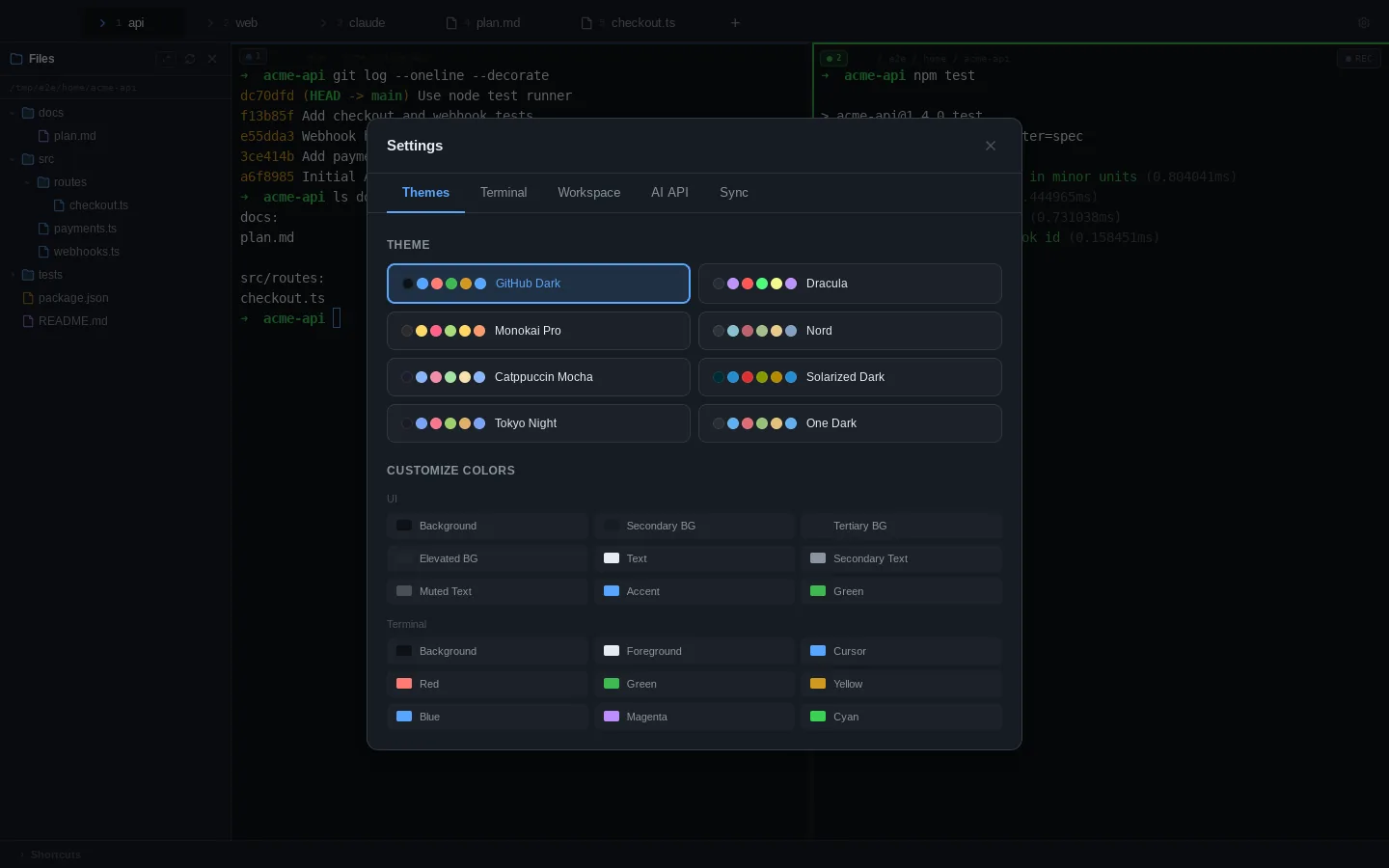
Open settings with ⌘, or the gear in the tab bar. Every change applies immediately and is saved and synced.
Themes
Nine built-in themes. Precision is the default; the rest are GitHub Dark, Dracula, Monokai Pro, Nord, Catppuccin Mocha, Solarized Dark, Tokyo Night and One Dark. Each themes both the app and the terminal colors, and every terminal palette is checked to stay legible against the UI behind it.
Under Custom colors you can override any UI or terminal color; Reset to preset removes your overrides.
Your theme is painted before the first frame is drawn, so starting ADE never flashes a default palette on the way to yours.
Terminal
- Font size from 10 to 24 px, with quick presets
- Font family: JetBrains Mono, SF Mono, Fira Code, Cascadia Code, Source Code Pro, IBM Plex Mono or the system monospace font
- Line height
- Cursor: bar, block or underline, with optional blink
- Scrollback: from 1,000 to 100,000 lines
Workspace
Rename any open tab, and save the current set of tabs as a named workspace. Load reopens a workspace’s tabs.
AI API
The orchestrator needs a model:
- Anthropic: paste an API key (
sk-ant-…) and pick a model. The key stays on this machine; sync never copies it. - Ollama (local): set the endpoint (default
http://localhost:11434) and a model name such asllama3.2orqwen2.5-coder.
Agents you launch from the agent picker use their own CLI logins and don’t need this.
Sync
See Auto-save & sync.